ProZvonki helps you filter out spam, ads and scam calls: the blocklist, blocking of unknown numbers and the number rating work together with caller ID. You see who is calling and immediately know whether to answer or block — and your data stays on the device.
Blocklist and blocking of unknown numbers
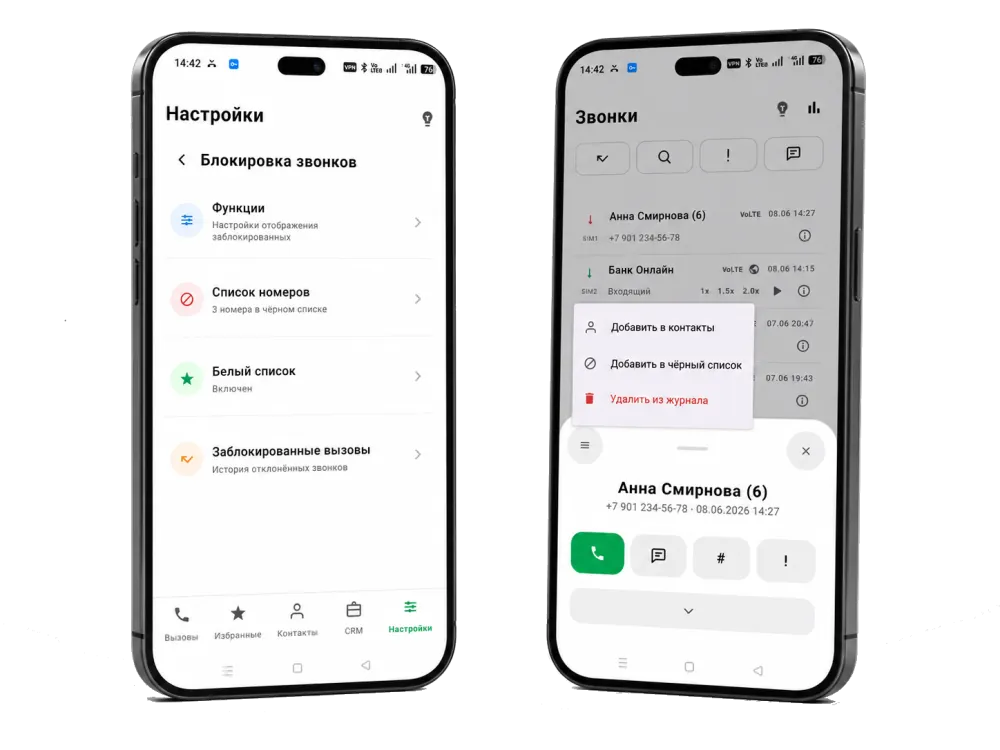
Persistent numbers can be added to the blocklist, and unknown calls can be rejected automatically. That means fewer interruptions from ads, intrusive surveys and calls from unfamiliar numbers, while the people you need stay reachable.
Caller ID and number rating mean less spam
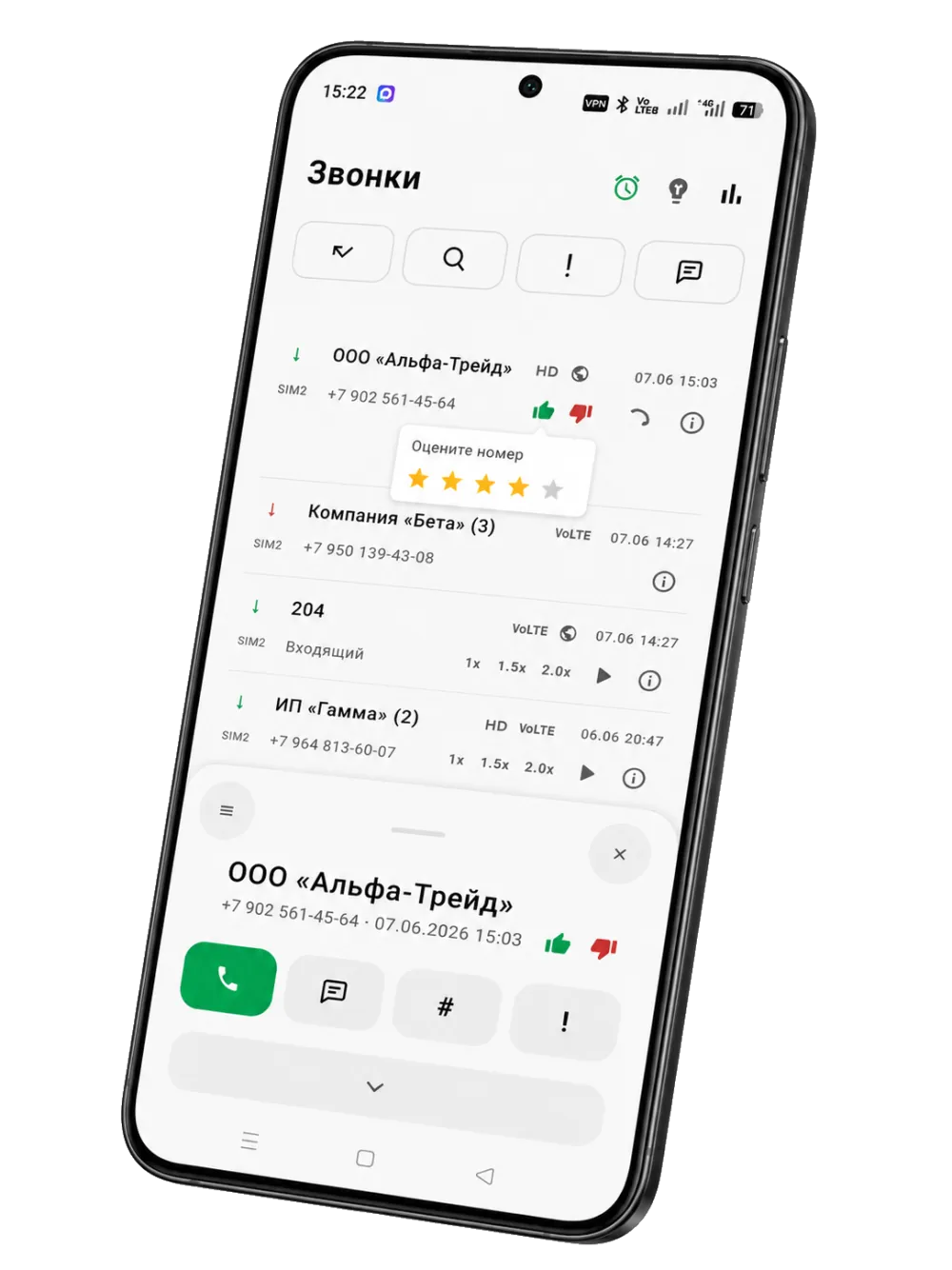
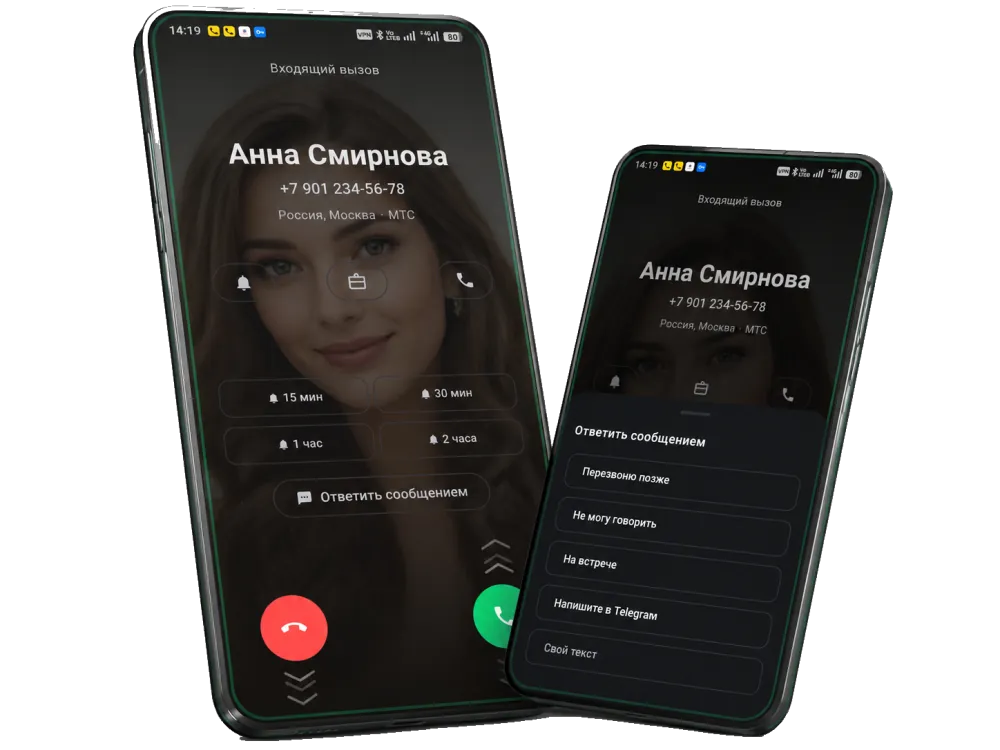
ProZvonki shows the organization name on incoming calls, takes the number rating into account and displays the carrier label. You see who is calling before you answer, so it is easier to tell whether it is a call you need or spam.
How to block spam calls on Android
add a persistent number to the blocklist right from the log or call card;
block whole ranges at once — by a mask or the first digits of a number;
mark a number as spam so unwanted calls are recognized faster;
enable blocking of unknown numbers if there are too many of them;
rely on caller ID, the number rating and the carrier label on incoming calls;
additionally use your carrier's anti-spam and built-in Android tools.
Your data stays on the device
The blocklist, call log, tags and comments are stored on the phone and never sent to third-party servers. That matters to anyone who does not want to hand over their call history and contacts to someone else's cloud. A backup can be saved to a file and protected with a password.
It depends on the phone model, the Android version and the carrier. Most often the caller hears a busy tone or is sent to voicemail, while your phone does not ring. The caller does not receive any direct message that the number has been blocked.
How do I block spam calls on Android?
Add the number to the blocklist, block a range by a mask, mark the number as spam or enable blocking of unknown numbers. You can rely on the number rating, caller ID and the carrier label. In ProZvonki this is combined in one free app together with the dialer and the call log, so you can decide whether to answer or block right on the incoming call.
Can I block numbers by a mask or by the first digits?
Yes. In ProZvonki you can block not only a single number but a whole range by a mask — for example, by the first digits or an area code. This is handy when spam comes from similar numbers.
Will the person know that I blocked them?
The caller gets no direct notification about being blocked. They can only guess from indirect signs, such as the type of ringing tone, which depends on the phone and the carrier.
Does blocking completely stop spam?
Blocking noticeably reduces the number of unwanted calls but does not guarantee complete protection: spammers change their numbers. A combination of caller ID, number rating and a blocklist works more effectively.
How is blocking different from caller ID?
Caller ID shows who is calling — the organization name on the incoming call screen. Blocking decides whether to let the call through: unwanted numbers can be sent to the blocklist or unknown calls can be rejected. Together they complement each other.
Where is the blocklist and call data stored?
The blocklist, call log, tags and comments are stored on the device and are not sent to third-party servers. A backup can be saved to a file and protected with a password.