
Full-screen incoming call or notification
Choose how an incoming call is shown: a full-screen view with “answer” and “decline” buttons or a compact heads-up notification. In full-screen mode a contact's individual ringtone works.
Incoming call screen
In ProZvonki you can customize how an incoming call looks and behaves: a full-screen view or a heads-up notification, a camera flash, a soft edge light frame, answering by swipe or buttons, and even auto-answer when you raise the phone to your ear. Calls become more visible and more convenient — to fit your habits.
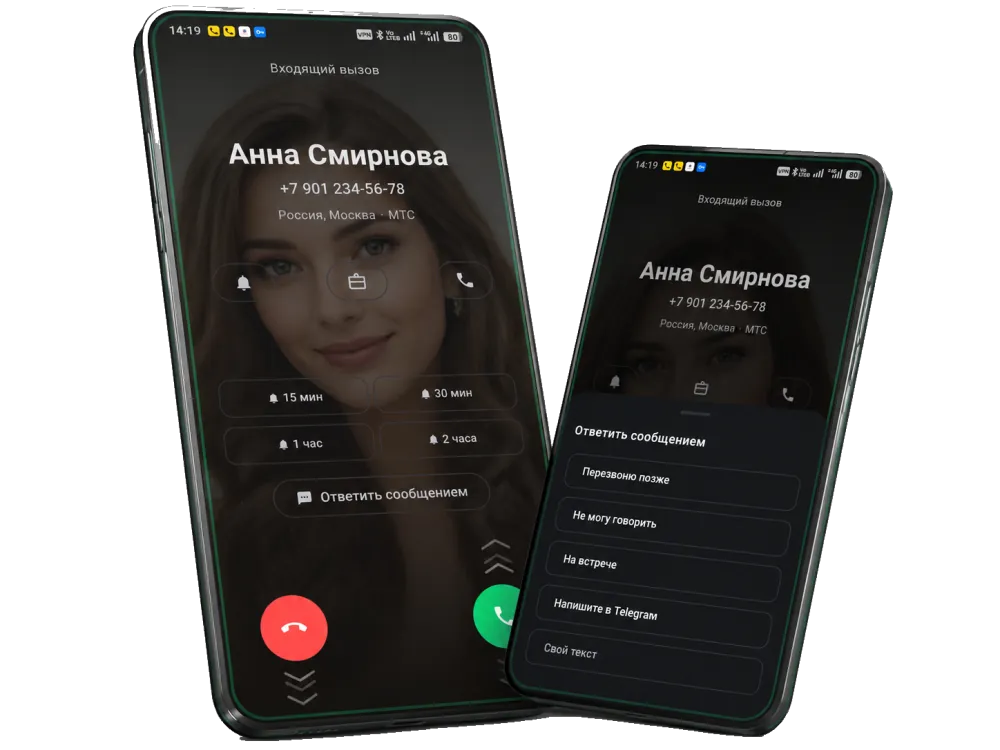
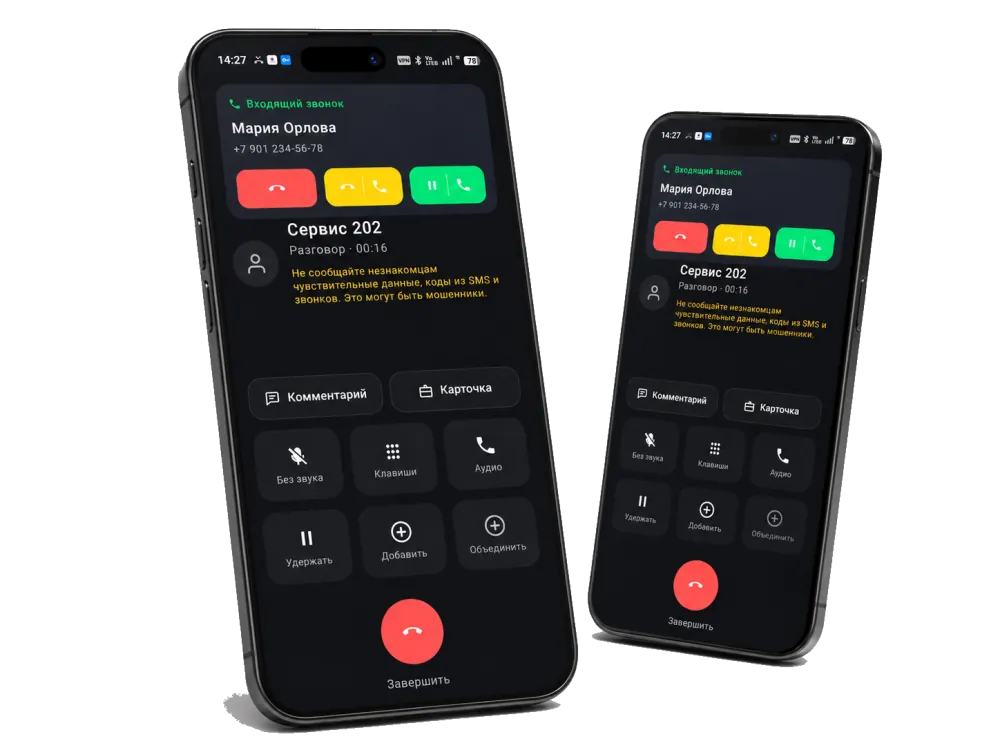
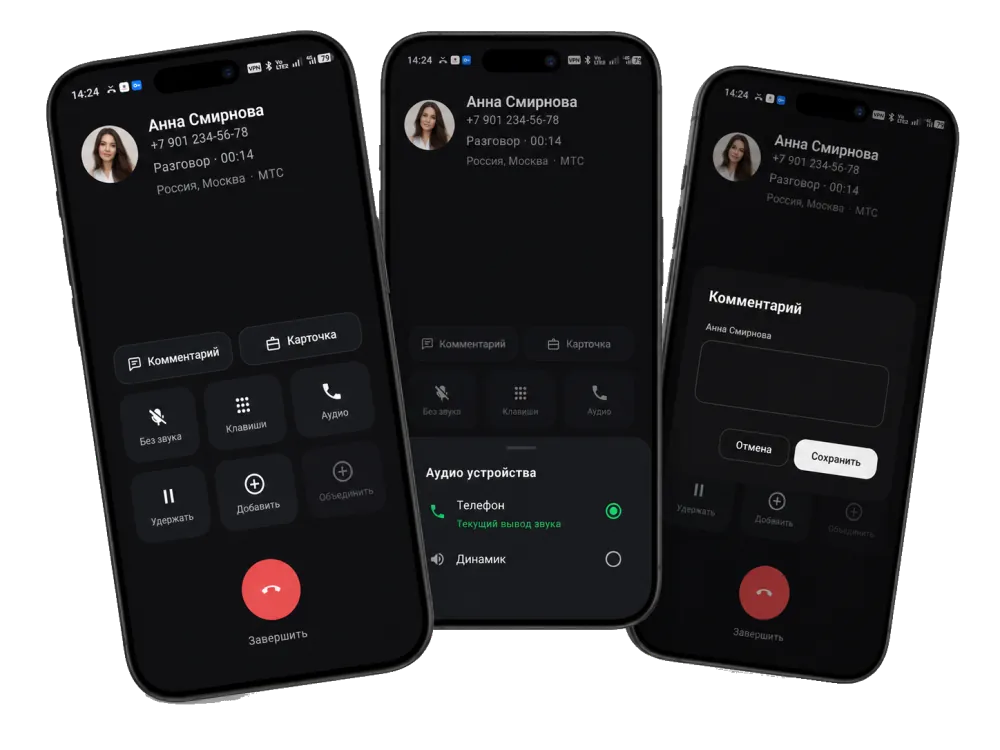
Choose how an incoming call is shown: a full-screen view with “answer” and “decline” buttons or a compact heads-up notification. In full-screen mode a contact's individual ringtone works.
Don't miss calls even when the phone is silent: the camera can flash, and a thin light frame can gently pulse along the edge of the screen. The frame color can be chosen from several options.
Enable proximity auto-answer: on an incoming call just raise the phone to your ear and the call is answered automatically. Handy when your hands are busy. On the lock screen you can hide the caller's name and number.
FAQ
Yes. The call settings include a “Flash on call” effect: the camera flashes on an incoming call so you can see it even when the phone is silent or lying face down.
It is a thin line along the edge of the screen that softly pulses on an incoming call. You can choose its color from several options. It is a noticeable but non-intrusive call signal.
The answer style is configurable: two separate buttons, a left-right swipe or an up-down swipe. You can pick what suits you and enable colored hint arrows.
Yes. Enable auto-answer on raise to ear: on an incoming call the proximity sensor answers automatically when you bring the phone to your ear, after which the screen turns off as usual.
Yes. There is an option to hide the caller on the lock screen — on a locked phone the notification shows only a generic call title, without the number or name.
On Xiaomi, Redmi and POCO you need to grant a few permissions manually once: background pop-up windows, showing on the lock screen and full-screen notifications. A detailed guide is in the FAQ on the homepage.