Answer and manage a call without hunting for buttons
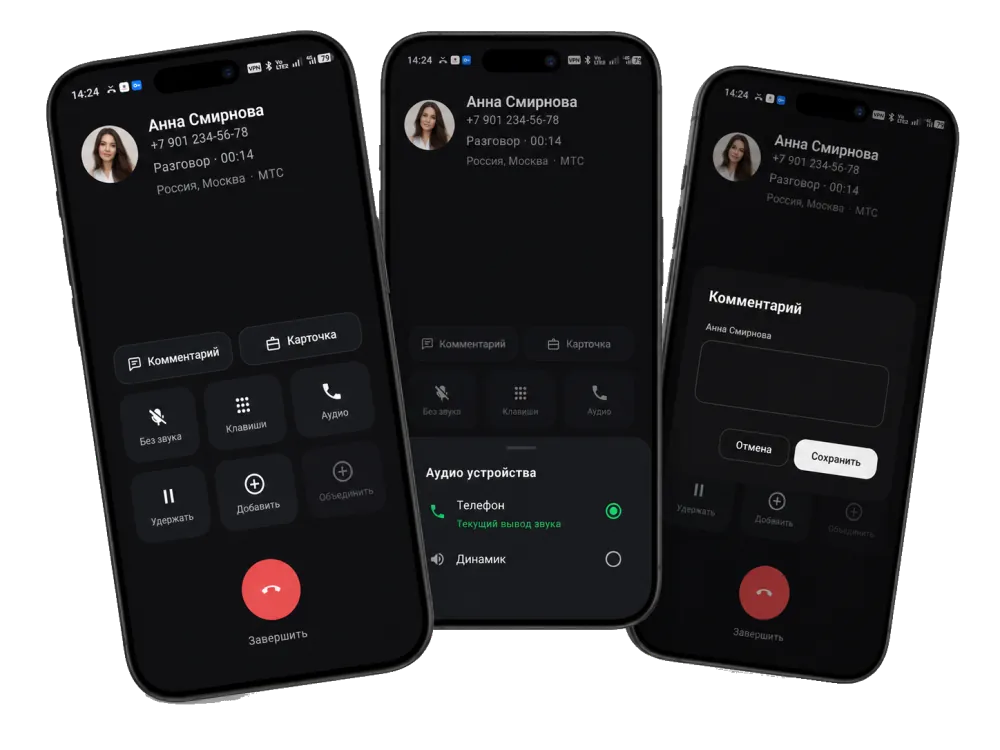
Active call, second incoming, speaker, Bluetooth and the keypad are always where you expect them.
Android dialer
Android dialer with CRM, tasks, comments and reports.
ProZvonki replaces your default dialer: it surfaces important missed calls, helps you call back on time, keeps the context of each conversation and builds reports.


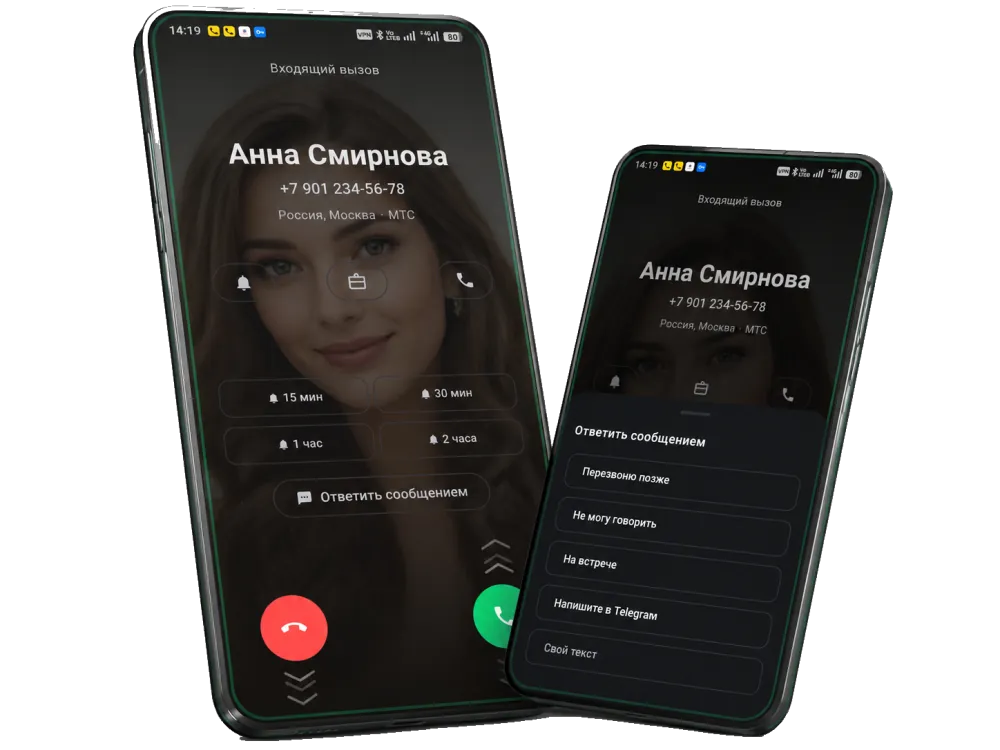
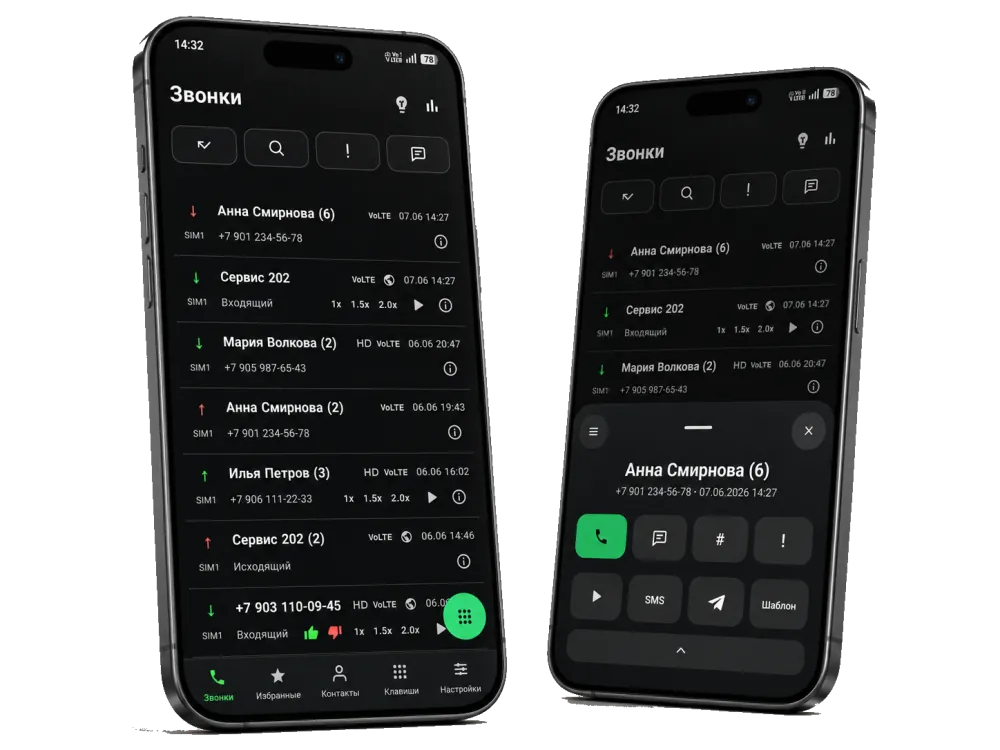
Answer, call, find contacts and block unwanted numbers faster.
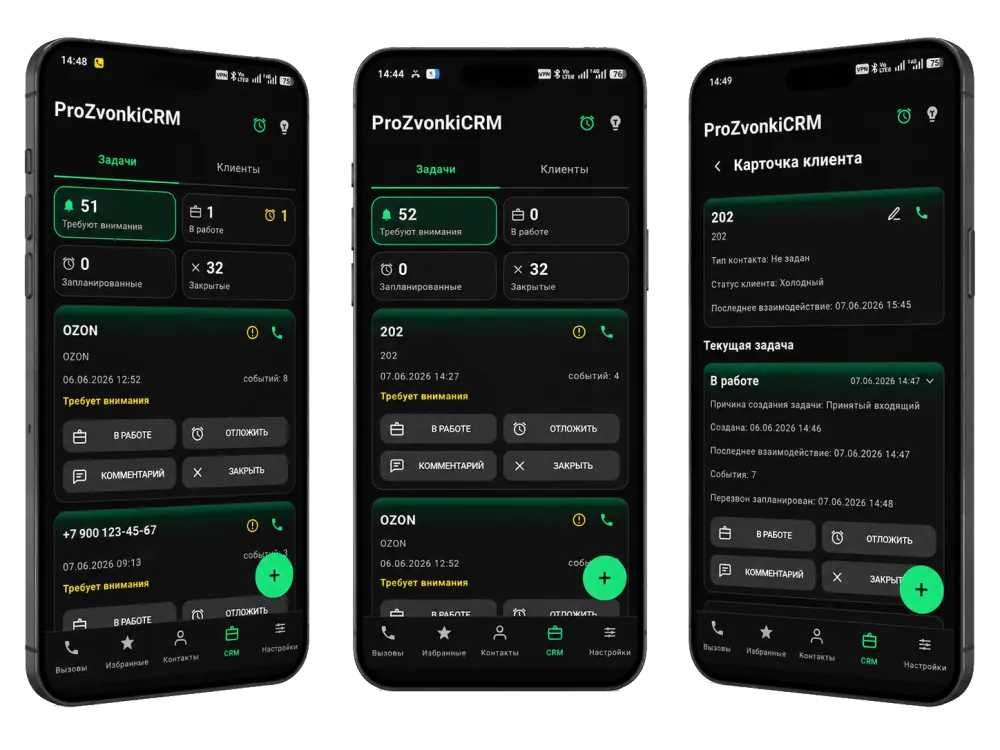
02Call CRMSee who you haven't called back, manage tasks and send reports.
Interactive demo
Try the real ProZvonki settings before installing the app: choose a background and colors, an answer gesture, edge lighting and other incoming-call options.
For yourself
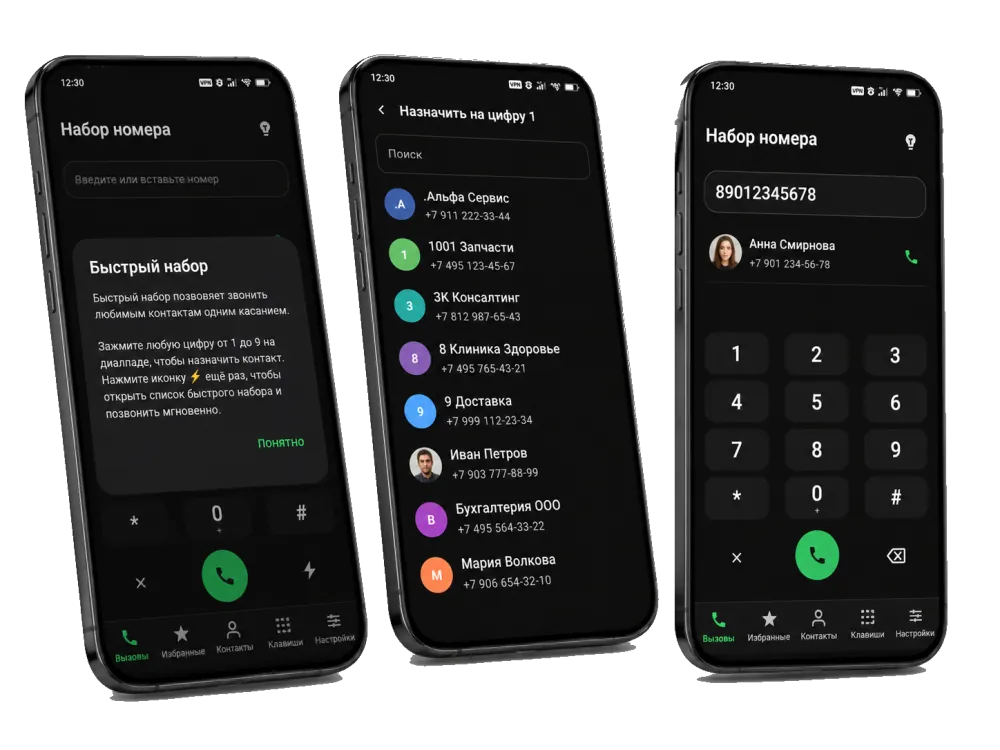
No extra complexity: calls, contacts, favorites, speed dial, a call log and protection from unwanted calls.
Active call, second incoming, speaker, Bluetooth and the keypad are always where you expect them.
Favorites, speed dial 1–9 and contact cards help you call faster.
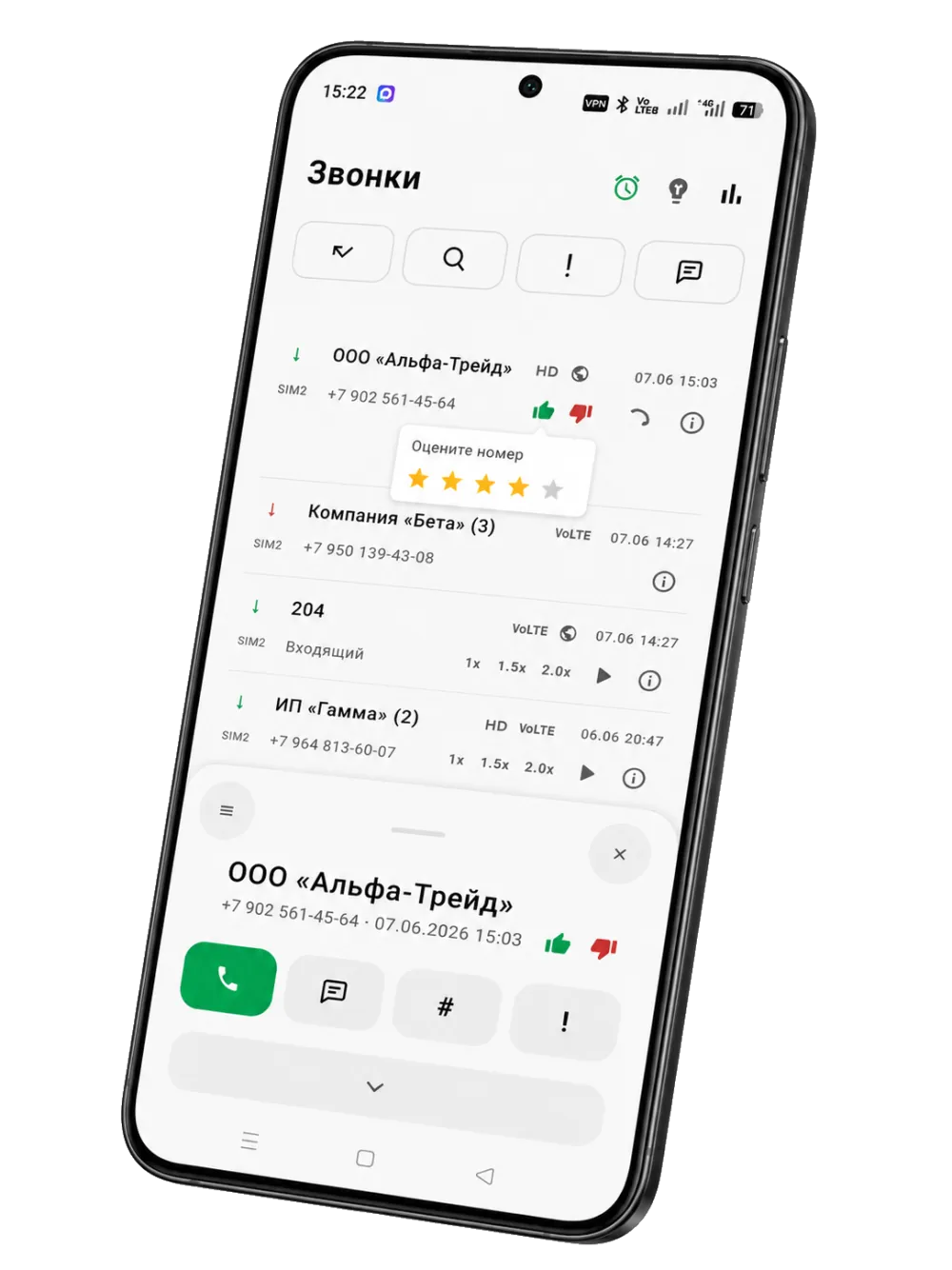
A blocklist, unknown-number blocking and number rating help you decide whether to answer.
Call log
The log shows repeat calls, comments, tags, importance, statuses and a call card with quick actions.
For work
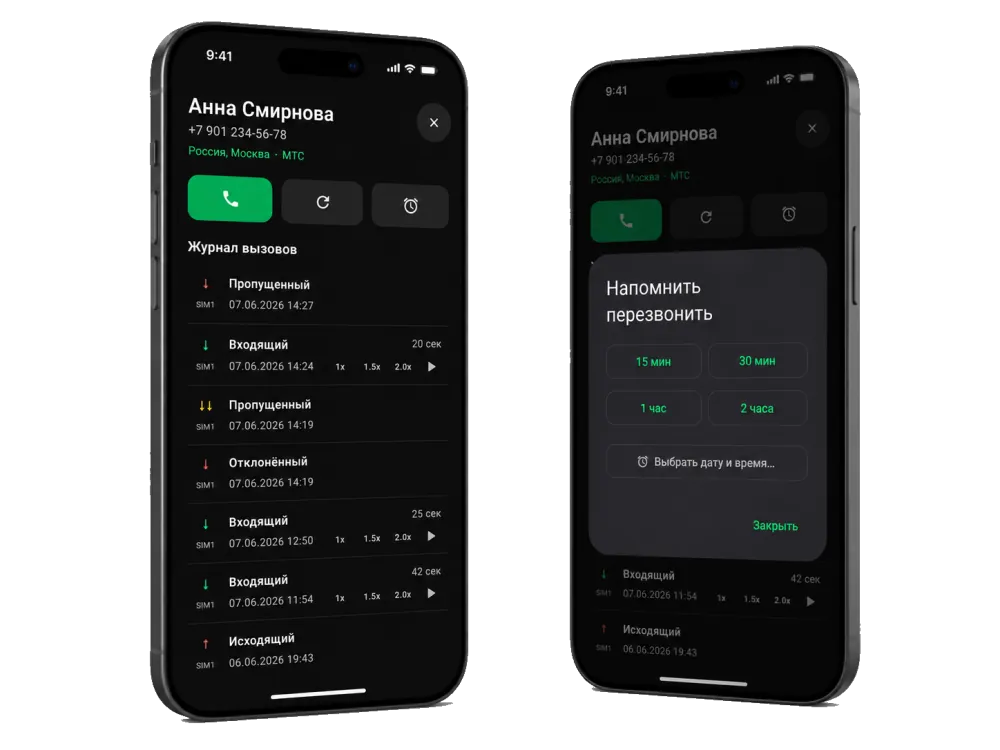
If you work with clients, what matters isn't a feature list but the chain: spot the missed call, schedule a callback, record the outcome and check the report.
The log shows calls that still need a response.
Create a task or a callback reminder.
Leave a comment and mark the outcome.
The report shows where calls are still unhandled.
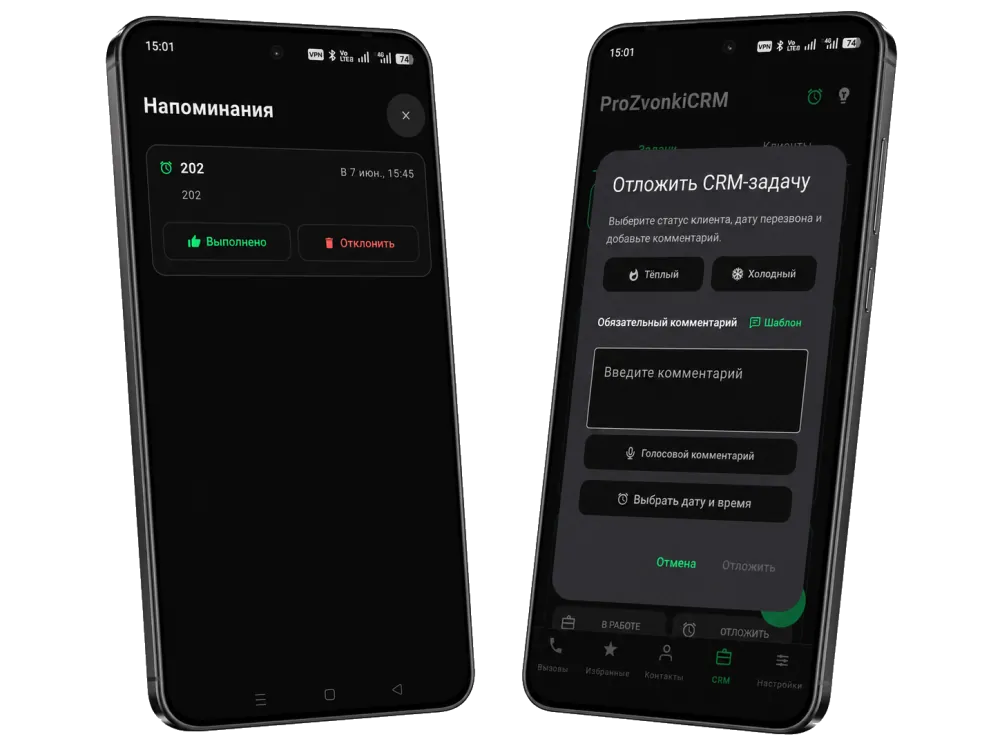
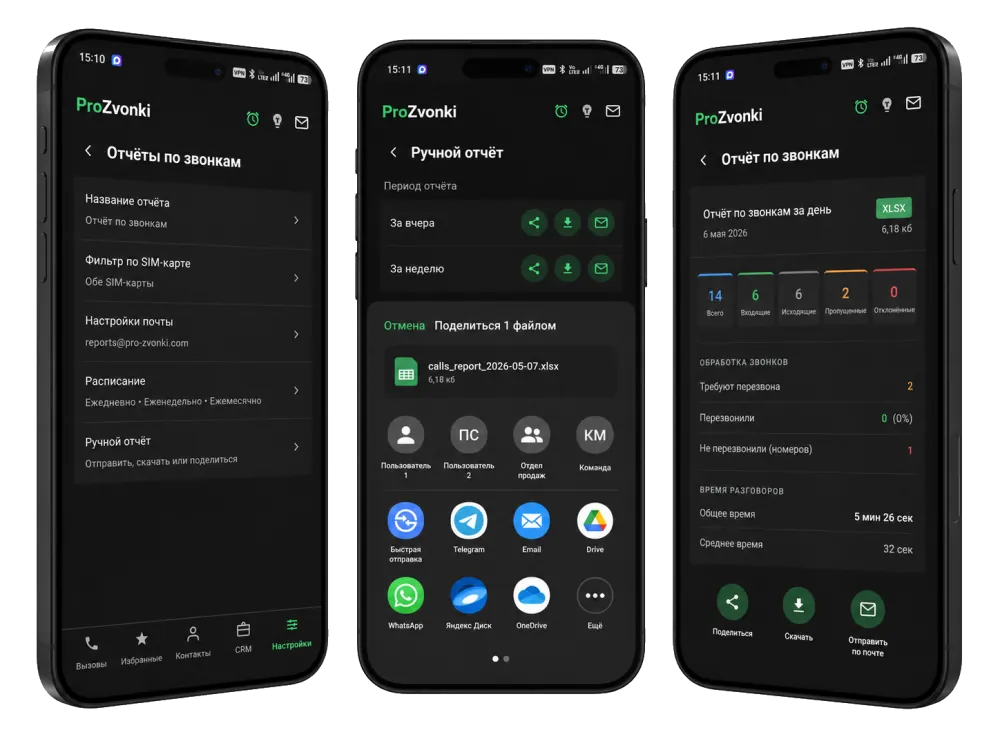
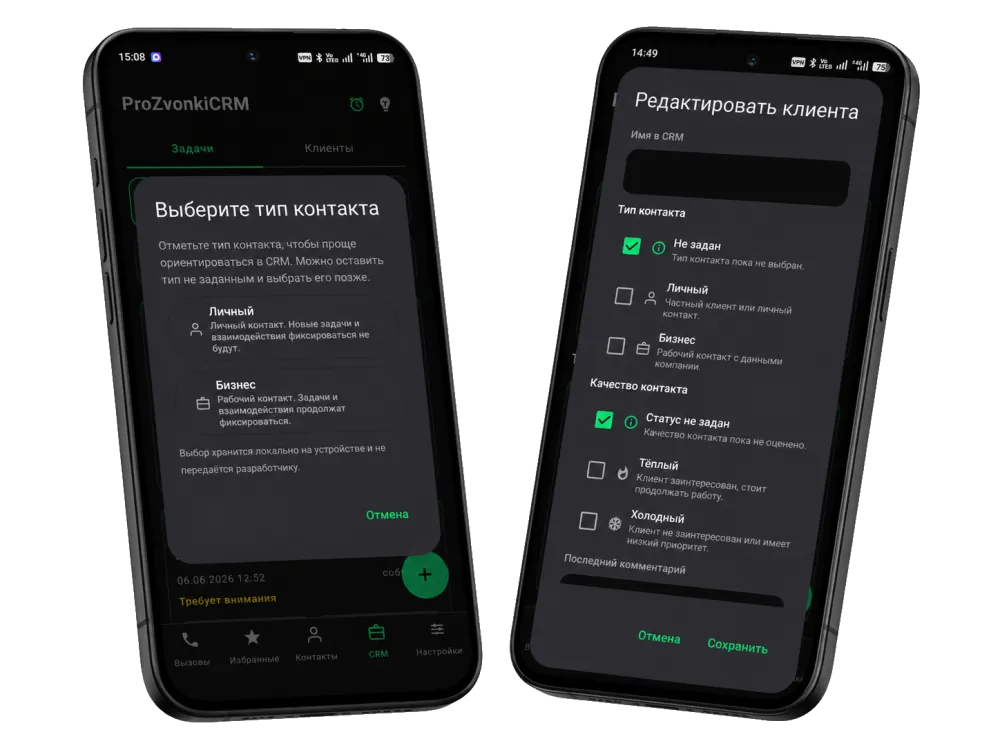
Mini-CRM
CRM shows up where you need it: in tasks, the client card, comments, history and planning the next contact.
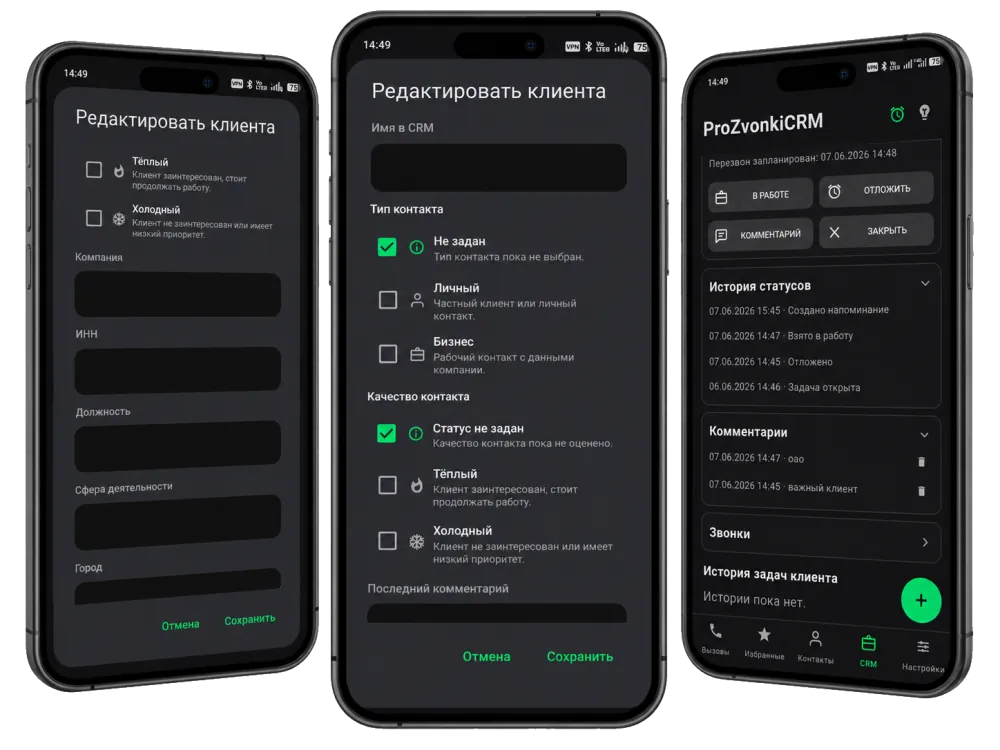
Reports and statistics
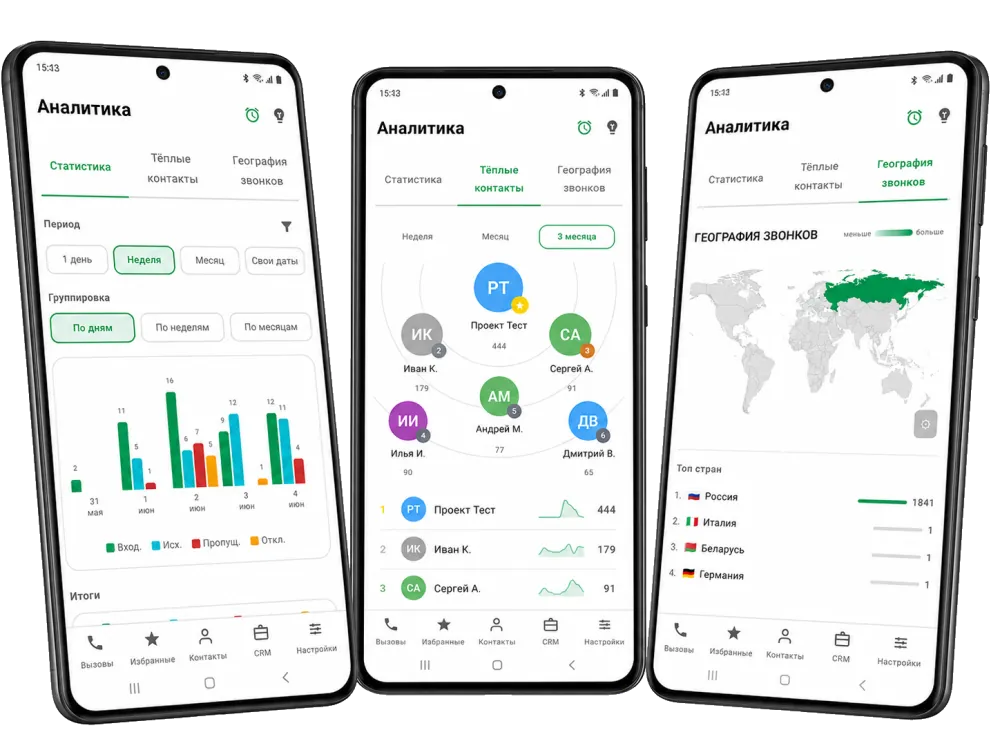
Statistics help you understand the load, while XLSX/CSV reports show where calls, callbacks and problems occurred.
A summary, the full call list, unhandled cases, callbacks and a day-by-day breakdown.
Send a report manually or set a schedule through your email.
SIM, call type, duration and contacts help you analyze the right segment.
Privacy
The app handles sensitive things: calls, contacts, the log, SMS and work notes. That's why clear boundaries matter.
The log, tags, blocklist, comments and CRM data are stored on your device.
A backup can be saved to a `.prozbak` file and protected with a password.
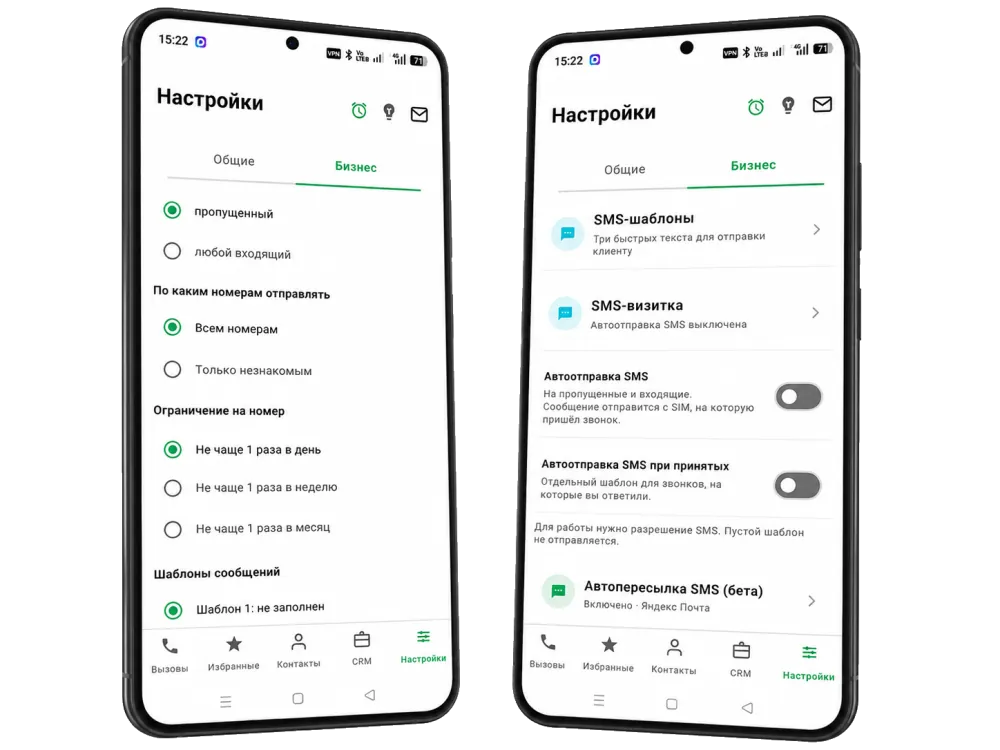
SMS-to-email forwarding is available only in the RuStore edition and is enabled manually.
App editions
Core dialer, log, CRM and report features are available in both editions. The RuStore edition additionally includes a beta feature that forwards incoming SMS to email.
Use cases
ProZvonki is for people who need more than a plain Android dialer — clear client-call tracking: comments, tasks, callback reminders, CRM cards and reports.
FAQ
ProZvonki is an Android dialer for important calls: a call log with context, comments, tasks, CRM and reports.
Yes. The site covers everyday scenarios: calls, contacts, favorites, speed dial, the call log and protection from unwanted calls.
Beyond calls and contacts, ProZvonki helps you see important missed calls, leave comments, create tasks, keep CRM cards and build reports.
Yes. CRM features include a client card, history, tasks, comments, statuses and separation of personal and work contacts.
Yes. In the work scenario a call can become a task or a callback reminder with a due date and a comment.
Yes. Comments and importance stay next to the call in the log and on the call card.
The app surfaces calls that need a response and lets you create a task or a callback reminder.
Yes. The site describes statistics and XLSX/CSV reports for calls, callbacks, unhandled cases and activity.
The log, tags, blocklist, comments and CRM data are stored on your device. A backup can be saved to a `.prozbak` file and protected with a password.
Core dialer, log, CRM and report features are available in both editions. The RuStore edition additionally includes a beta feature that forwards incoming SMS to email.
ProZvonki can be downloaded from Google Play and RuStore using the links on this page.
On Xiaomi, Redmi and POCO devices the system blocks apps from showing the call screen over other windows and on the lock screen by default. This is not an app bug — the permissions need to be granted manually once, after which the incoming call screen will appear normally. Item names may differ slightly depending on the MIUI or HyperOS version — look for ones close in meaning.
After completing these steps, restart the phone and test an incoming call.
Download
Choose a store. After installation, the app will ask for permissions for calls, contacts, notifications and the features you turn on.